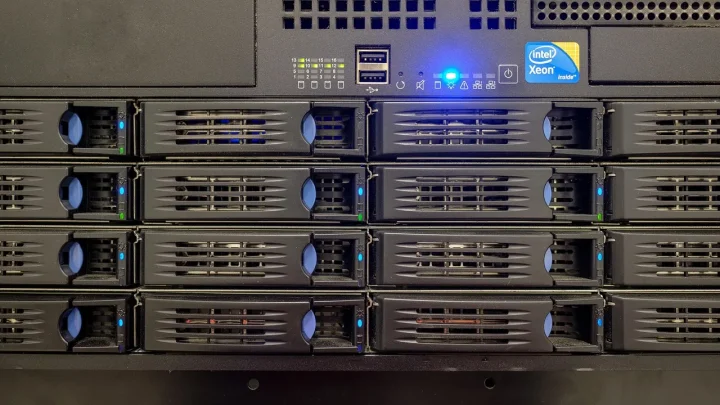
The email landed at 6:12 on a Tuesday morning: "Volume 1 has crashed." I stared at it over coffee, half awake, and knew before I even opened the web interface that this was going to eat my day. The NAS in question was a Synology DS920+ belonging to a photographer friend, four bays, four 4TB WD Red drives in a RAID 5 array holding roughly 6TB of client work.
One drive had thrown errors two days earlier. She had swapped it, started the rebuild, and gone to bed. Somewhere around 3am, a second drive dropped out.
That is the exact scenario that turns a manageable single-disk failure into a full-blown restore. This is the play-by-play of what happened, what I got wrong, and how everything came back.
What actually failed, and why RAID 5 could not save it
RAID 5 survives exactly one drive failure. It spreads parity across all the disks, so if one dies, the missing data can be calculated from the rest. Lose a second drive before the first is fully rebuilt, and the math runs out of inputs.
When you replace a failed disk, the array has to read every single block on the remaining drives to reconstruct the new one. On a 6TB array that is hours of sustained, flat-out reading.
Older drives that have been spinning for four or five years hate that. They coast fine under light home use, then a marathon rebuild surfaces a weak sector that had been quietly rotting for months. That is precisely how the second WD Red died: a read error at roughly 40 percent through the rebuild, and the whole thing collapsed.
The moment I realized the array was gone
The Synology interface was blunt about it. Storage Manager showed the volume as "Crashed" in red, and DSM would not mount it. The second drive showed a SMART status of "Critical" with a reallocated sector count climbing into the hundreds.
My first instinct, and I want to be honest here, was to try to force the array back online. That is a mistake I have watched people make dozens of times.
When two drives are down in RAID 5, there is no clean data left to mount. Forcing it can trigger writes that scramble what little parity remains and make professional recovery harder later. I stopped myself, took a breath, and pulled up her backup instead.
Triage before you touch anything
The first hour was not recovery, it was assessment. I wanted to know three things before I made a single change.
- Which two drives had failed, and were either of them possibly readable outside the array?
- When did the last successful offsite backup complete, and what did it contain?
- How much data changed between that backup and the crash?
The answer to the middle question decided everything. Her backup had finished cleanly at 2:14am, a full hour before the second drive dropped. Almost nothing was lost.
The offsite backup that saved the whole job
She was running Hyper Backup to a Backblaze B2 bucket, versioned, running nightly. This is the part I cannot stress enough: the array dying was an inconvenience, not a disaster, purely because that backup existed and had been tested.
A backup you have never restored from is a hope, not a plan. We had actually done a test restore of one folder three months earlier, so I knew the credentials worked and the data was intact.
For anyone weighing where to keep a second copy, the reasoning behind the classic three copies of your data rule is worth reading straight from Backblaze's write-up on the 3-2-1 strategy. It is the single idea that turned this case study into a good ending instead of a horror story.
| Copy | Where it lived | Status after crash |
|---|---|---|
| Primary | RAID 5 array on the DS920+ | Lost (two drives failed) |
| Local second copy | External USB drive, weekly | Five days stale |
| Offsite | Backblaze B2, nightly versioned | Intact, 2:14am that morning |
Rebuilding the array from bare metal
With backups confirmed, the array itself became disposable. I did not try to save it. I replaced both dead drives with new 4TB WD Reds (about 100 dollars each at the time) and built a fresh RAID 5 volume from scratch.
Here is the sequence I followed, and it is worth doing in this order.
- Physically label and remove both failed drives so they cannot accidentally go back in.
- Install the two new drives, then let DSM see all four healthy disks.
- Create a brand new storage pool and volume rather than repairing the crashed one.
- Run an extended SMART test on all four drives before trusting them with data.
- Only then point Hyper Backup at the offsite copy and start the restore.
That extended SMART test caught something useful, by the way. One of the two surviving original drives had 12 pending sectors of its own. It had been the next domino. I swapped it too, which meant three of the four drives in that NAS ended up new.
The restore itself: 6TB over a home connection
This is where patience mattered. Pulling roughly 6TB down from Backblaze B2 over her 200 Mbps home fiber connection was the slow part of the entire job.
At real-world throughput of around 20 to 22 megabytes per second, the full restore ran for just over three days of wall-clock time. It was not constant babysitting, but I checked in morning and night to make sure nothing had stalled.
Hyper Backup let me prioritize folders, so her active client jobs restored first, in the initial six hours. She was back to editing that same afternoon while the archive material trickled in behind it.
What the download actually cost
Restore egress is the fee people forget about. Backblaze B2 charges for data you download out of the bucket, and 6TB is not free.
The egress bill came to roughly 30 dollars for the full restore. Compared to a professional data recovery quote, which for a two-drive RAID 5 failure typically starts around 1,200 dollars and climbs fast, that was the best 30 dollars she ever spent.
What I would do differently, and what she changed
The array should never have been RAID 5 with drives that old. For a four-bay box holding irreplaceable work, RAID 6 or Synology's SHR-2 tolerates two simultaneous failures, which is exactly the scenario that bit her.
She lost one 4TB of usable space by moving to SHR-2, and gained the ability to survive the precise failure that just happened. Given what those photos are worth to her clients, that was an easy trade.
We also set up a monthly automated SMART schedule with email alerts, so a climbing reallocated-sector count now shouts long before a drive actually dies.
The real lesson from a bad Tuesday
The dramatic part of this story, the crashed array, the dead drives, the 6am panic email, turned out to be the least important part. Every bit of it was recoverable because a tested offsite backup sat quietly in the background doing its job.
If you take one thing from her bad Tuesday, let it be this: your RAID level protects your uptime, and your backup protects your data. They are not the same thing, and confusing them is how people lose years of work in a single night.
Go check when your last offsite backup finished, and then go restore one file from it today. If that file opens, you are in a far better position than most people who think they are covered.
Frequently asked questions
Can you recover a RAID 5 array after two drives fail?
Not through the NAS itself, because RAID 5 only has enough parity to rebuild one missing drive. In some cases a professional recovery lab can image both failed drives and reconstruct data, but it is expensive and never guaranteed. The reliable path is restoring from a backup, which is why an offsite copy matters so much.
Why did the second drive fail during the rebuild?
Rebuilds force the array to read every block on the surviving disks at full speed for hours. Older drives that seemed fine under light use often have weak sectors that only surface under that sustained stress. In this case a five-year-old WD Red hit an unrecoverable read error around 40 percent into the rebuild.
Should I reboot a NAS with a crashed volume?
No. A degraded or crashed array is fragile, and rebooting or power-cycling adds stress that can push a marginal drive over the edge. Confirm your backup status first, and avoid forcing the volume online, which can overwrite the little usable parity that remains.
How long does it take to restore 6TB from a cloud backup?
It depends almost entirely on your download speed. On a 200 Mbps home connection running at around 20 MB/s in practice, 6TB took just over three days. Prioritizing your most important folders first means you can be working again within hours while the rest trickles in.
Does restoring from Backblaze B2 cost money?
Yes, you pay egress fees for data downloaded out of the bucket. A full 6TB restore in this case cost roughly 30 dollars. That is trivial compared to professional recovery, but worth checking your provider's egress pricing before a large restore.
Would RAID 6 have prevented this failure?
RAID 6 or Synology SHR-2 keeps two sets of parity, so it can survive two drives failing at once, including one dying mid-rebuild. It costs you the capacity of one extra drive, but for irreplaceable data that trade is usually worth it.